
Download boAt LTE – Smart Watch Connectivity, Health Tracking, Android App, Free Download
Overview
boAt LTE is a lifestyle application designed to connect smart watches with mobile phones, specifically targeting Android users. Developed by Imagine Marketing Limited, the app operates within the Health & Fitness category and serves as a bridge between wearable devices and smartphones. Its primary purpose is to enable seamless synchronization of activity and health data, allowing users to monitor fitness progress and maintain a healthier lifestyle.
The application supports extended functionality beyond basic smart watch operations, offering enhanced control over device settings and user profiles. It is tailored for individuals who value both health tracking and personalization in their wearable technology. Real-world use cases include daily activity logging, sleep pattern analysis, and remote customization of watch faces.
The app also facilitates audio recording transcription, adding a unique utility layer to the standard smart watch experience. While the developer’s background is limited to the provided information, the app’s availability on the Google Play Store suggests a focus on accessibility and broad user reach. The application is free to download and use, making it an accessible entry point for users seeking to maximize their smart watch capabilities.
Key Features & Capabilities
- Activity and Health Data Synchronization – Automatically syncs fitness metrics such as steps, heart rate, and sleep data between the smart watch and mobile device, enabling continuous tracking and long-term progress analysis.
- Watch Face Customization – Allows users to browse, select, and personalize watch faces, enhancing visual appeal and usability based on personal preference or occasion.
- Audio Recording Transcription – Provides a built-in feature to transcribe voice recordings captured through the smart watch, offering convenience for note-taking and quick documentation.
- Device and Account Management – Offers centralized control over watch settings, permissions, user profiles, and account preferences, ensuring a tailored and secure user experience.
- Extended Smart Watch Functionality – Enhances standard smart watch operations with advanced features not available directly on the wearable, improving overall device utility.
These capabilities are particularly beneficial for fitness enthusiasts who rely on consistent data tracking, as well as users who prioritize device personalization and productivity. The app’s ability to manage multiple profiles and settings makes it suitable for shared devices or users with varying preferences. By integrating health data and smart watch controls into a single interface, boAt LTE streamlines the user experience and reduces the need to switch between multiple applications.
User Interface, Workflow & Performance
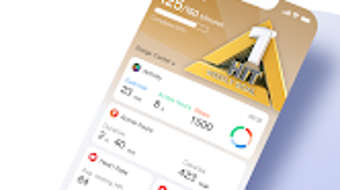
The user interface of boAt LTE is designed to be intuitive, with a clean layout that prioritizes accessibility and ease of navigation. Key functions are organized into clearly labeled sections, allowing users to quickly access synchronization tools, watch face settings, and account preferences. The workflow follows a logical sequence: pairing the device, syncing data, customizing settings, and reviewing analytics.
This streamlined process minimizes user friction and supports efficient daily use. The app’s performance is expected to align with standard Android application behavior, though specific details on CPU or RAM usage were not provided. Stability and responsiveness are likely maintained through regular updates, as noted by the developer.
The application does not require high system resources, making it suitable for a wide range of Android devices. The developer did not specify resource usage details, so actual performance may vary based on device hardware and operating system version. Overall, the app appears optimized for consistent background operation and minimal disruption during daily use.
Compatibility & System Requirements
boAt LTE is designed for Android devices and is available for free download through the Google Play Store. The app supports the latest versions of the Android operating system, though specific compatibility details were not listed. Installation size and hardware requirements are not publicly disclosed.
The developer did not provide exact system requirements, so users should ensure their device meets general Android standards for app compatibility. Platform compatibility information is limited, and no mention of support for iOS or other operating systems was made. The app’s functionality relies on Bluetooth connectivity between the smart watch and mobile device, which is standard across most modern Android smartphones.
Users should verify that their device supports the necessary Bluetooth profile and has sufficient storage space for the app and its data. Exact performance details were not specified.
Pros and Cons
Pros
- Free to download and use, increasing accessibility for a broad user base
- Comprehensive health and activity data synchronization
- Supports advanced features like audio transcription and watch face customization
- Intuitive interface with logical navigation and workflow
- Regular updates ensure ongoing compatibility and functionality
Cons
- Compatibility details for specific Android versions were not provided
- Resource usage and system requirements remain unspecified
- Only available for Android, limiting cross-platform use
- No information on offline functionality or data privacy practices
- Limited availability of technical documentation or user guides
FAQ Section
Is boAt LTE available for iOS devices?
boAt LTE is currently designed for Android devices only. There is no official version available for iOS at this time.
Is the app secure to use?
The app is available on the Google Play Store, which implements security checks for applications. However, specific security protocols or data encryption practices were not disclosed by the developer.
Does boAt LTE require an internet connection?
While some features may function offline, full synchronization and advanced functionalities like audio transcription likely require an internet connection for optimal performance.
How often are updates released?
The developer states that the app is regularly updated to ensure compatibility and improve performance, though the exact update frequency is not specified.
Can I use boAt LTE without a smart watch?
boAt LTE is designed to work in conjunction with a compatible smart watch. It does not function independently without a paired wearable device.
Final Thoughts + CTA
boAt LTE stands out as a capable and accessible tool for Android users seeking to enhance their smart watch experience. With its focus on health tracking, device customization, and extended functionality, it offers tangible value for fitness-conscious individuals and tech-savvy users alike. The app’s free availability, intuitive design, and regular updates contribute to a reliable and user-friendly experience.
While detailed technical specifications are limited, the app’s core features are well-aligned with modern wearable management needs. For users invested in maintaining a healthy lifestyle and maximizing their device’s potential, boAt LTE provides a solid foundation. Its seamless integration with Android devices and emphasis on personalization make it a strong choice in the Health & Fitness category.
Download boAt LTE now to connect your smart watch and unlock a smarter, more personalized experience.







